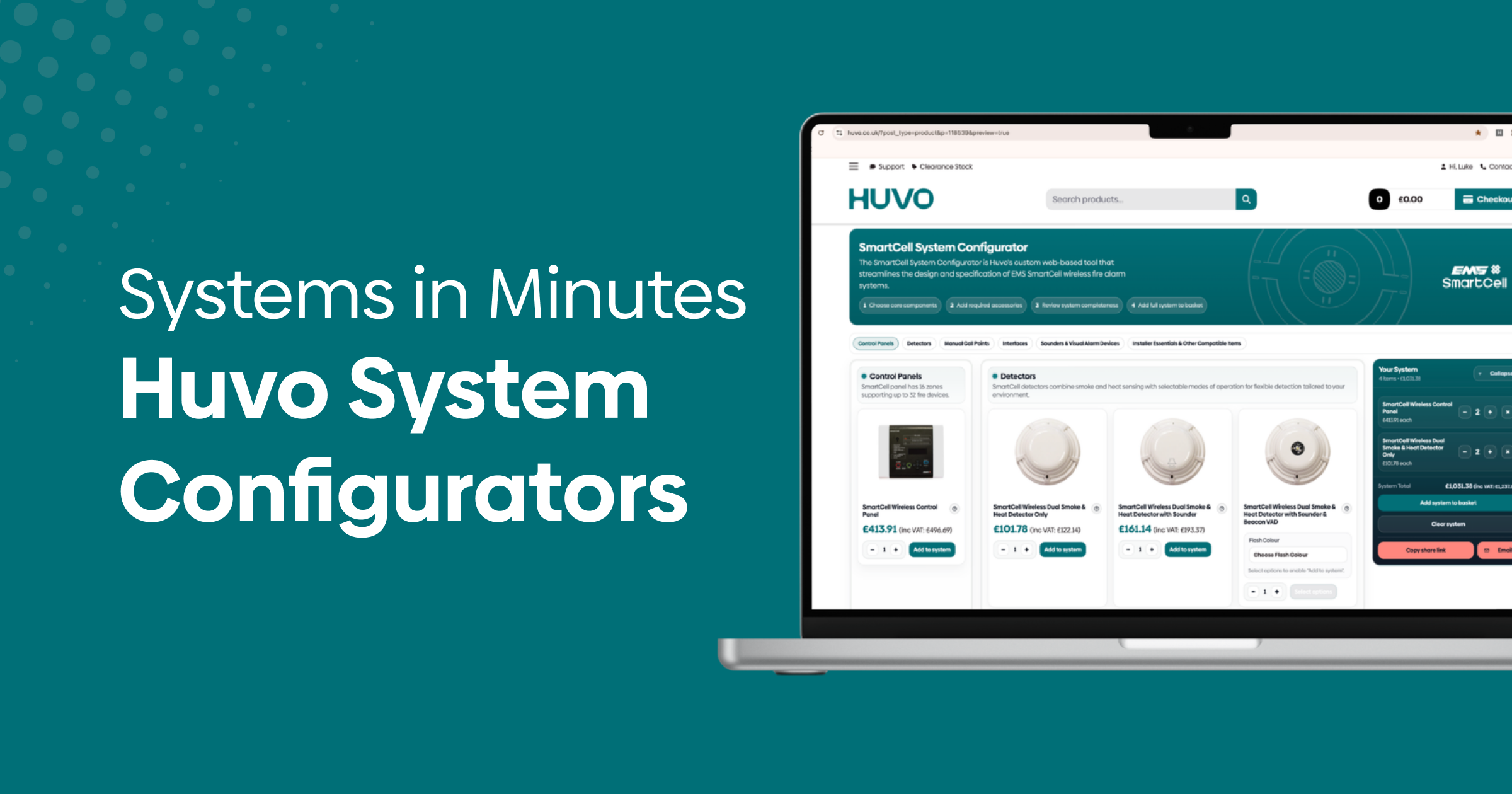
Specifying a fire alarm system involves a lot of moving parts. Control panels, detectors, call points, sounders, interfaces, power supplies — getting everything right, in the right quantities, and making sure it all works together takes time and attention. We’ve built four brand-specific system configurators to make that process quicker, clearer, and less prone to the kind of errors that slow jobs down.
The configurators are live on the Huvo website now, covering Fike Twinflex, Infinity ID2, SmartCell, and Zerio Plus.
One guided flow from panel to accessories
Each configurator walks you through a complete system build in a single, logical flow. Products are grouped by function — control panels, detectors, call points, interfaces, sounders and visual alarm devices (VADs), power supplies, and accessories — so you’re always working through the spec in the order it makes sense.
Critically, you only see products from the system you’ve selected. There’s no risk of mixing in incompatible devices from another range. Everything you add is designed to work together, which removes a layer of double-checking from your workflow.
Select products, adjust quantities at any point, and hover over any item to see a tooltip with a plain-language description of what it does and where it’s typically used. If a product comes in multiple variants, you can switch between them on the spot without losing your place in the build.
A live mini-cart keeps you on budget
A sticky mini-cart sits on screen throughout your build, updating in real time as you add products and adjust quantities. You can see exactly what’s in your spec and what it’s costing you at any moment — useful when you’re working to a budget or building multiple options for a client.
There’s no need to reach the end before you know where you stand. If something needs changing, change it mid-build and the totals update immediately.
Share specs with colleagues or procurement teams
Once your system is built, you can share it directly from the configurator. Copy a unique link to your basket and send it to a colleague, project manager, or procurement contact — anyone who needs to review or sign off the spec before it goes to order. Alternatively, use the built-in email function to send it straight from the builder, with a message attached.
This makes it straightforward to collaborate on specs without spreadsheets, screenshots, or retyped product lists. The person receiving the link sees exactly what you’ve built, with quantities intact.
How to build a system in five steps
- Choose your system brand — select Fike Twinflex, Infinity ID2, SmartCell, or Zerio Plus based on your project requirements.
- Start with your control panel — pick capacity, zone count, and any variants. Use tooltips to review compatibility notes before committing.
- Add detection and notification devices — work through detectors, call points, sounders, and VADs, setting quantities as you go. The mini-cart updates live throughout.
- Include interfaces and accessories — add input/output modules, zone expanders, power supplies, and installation accessories. Quantities can be adjusted at any stage.
- Review, share, or add to basket — check your mini-cart total, share the link for approval, or add the complete system to your main basket in one action.
You can still adjust quantities or swap items in your main basket before placing your order, so there’s flexibility right up to checkout.
Try them now
The best way to get a feel for how the configurators work is to build something you already know. Pick a system you’re familiar with, put together a test spec, and see how the tooltips, live mini-cart, and share functions behave in practice.
Visit the Fike Twinflex configurator
Visit the Infinity ID2 configurator
Visit the SmartCell configurator
Visit the Zerio Plus configurator
If you have questions about which system suits a particular project, or if you’d like us to build a configurator for another brand you work with regularly, get in touch with our team. We’re always interested to hear which systems you’re specifying most and where we can make things easier.