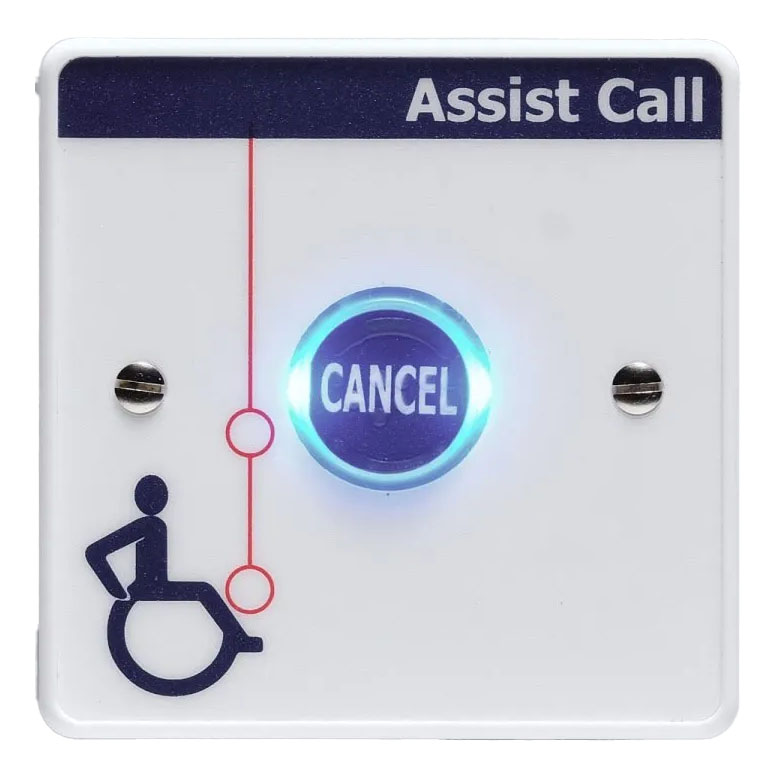
Lexicomm AssistCall Cancel Plate in White
£39.38 (inc VAT: £47.26)
Summary
The Vox Ignis AssistCall Cancel Plate White version (ViAC-CNP-W) provides essential alarm cancellation functionality for accessible accommodation emergency assistance systems. This compact device allows occupants to cancel assistance alarms when help has arrived or the emergency has been resolved, providing clear confirmation that the situation is under control.
Featuring a Braille enhanced button for enhanced accessibility, the ViAC-CNP-W is designed to be mounted in accordance with Building Regulations Document M (Access for the Disabled) and BS 8300-2:2018 standards. The unit features white polycarbonate construction with blue indicator for visual alarm confirmation and high volume sounder for audible feedback. Fully compatible with the Lexicomm EVC range of equipment and the standalone AssistCall range, this cancel plate supports up to 3 cancel plates and over door indicators on a single line, ensuring reliable integration with existing emergency communication systems.
Features
- Compact design for discrete room installation
- BS 8300-2:2018 acknowledge feature for operational feedback
- Bright blue visual indication for clear status visibility
- Flush or surface mounting options for installation flexibility
- High volume sounder for audible confirmation
- White polycarbonate construction for clean aesthetic
- Braille enhanced button for accessibility compliance
- Compatible with Lexicomm EVC range of equipment
- Compatible with standalone AssistCall range
- Standard two core cable wiring for installation simplicity
- Flexible wiring order – can be wired in any sequence
- Two sets of two part terminals for easy cable connections
- Lightweight design at only 60g
- Maximum 3 devices per line with cancel plates and over door indicators
FAQ
How does the cancel plate operate to reset an alarm?
When an assistance alarm is activated or acknowledged, pressing the button on the cancel plate will cancel the alarm. This provides clear confirmation that the emergency has been resolved and help is no longer required.
Where should cancel plates be positioned in accessible bedrooms?
Cancel plates should be mounted in accordance with Building Regulations Document M requirements. Typically, one cancel plate is positioned by the bed at a height accessible from bed or wheelchair, and another by the toilet area above the handrail at 1000mm height.
What makes the cancel button accessible for visually impaired users?
The cancel plate features a Braille enhanced button, making it fully accessible for visually impaired occupants. This ensures compliance with accessibility standards and allows all users to confidently operate the emergency system.
How many cancel plates can be connected on a single line?
There is a maximum of 3 cancel plates and over door indicators that can be installed on a single line. This allows for flexible system configuration while maintaining proper system performance and identification capabilities.
Can the cancel plate provide feedback when pressed?
Yes, the cancel plate includes both visual indication through the blue LED and audible confirmation via the high volume sounder, providing clear feedback that the alarm cancellation has been registered by the system.
What cable requirements are needed for the cancel plate?
The unit uses standard two core cable wiring including PVC or fire rated 2 core 1mm cable up to 500m distance, or Cat5/6 cable with 1 pair 0.22mm up to 50m distance. Fire rated cable is required if connected to a Refuge Point.
Specifications
- Height : 86mm
- Width : 86mm
- Visible Plate Depth : 12mm
- Weight : 60g
- Material : White polycarbonate
- Part Number : ViAC-CNP-W
- Maximum Devices Per Line : 3 cancel plates and over door indicators
- Cable Type PVC : 2 core 1mm
- Cable Distance PVC : 500m
- Cable Type Cat5/6 : 1 x pair 0.22mm
- Cable Distance Cat5/6 : 50m
- EMC Compliance : EN 55035:2017+A11:2020, EN 55032:2015+A1:2020
- LVD Compliance : EN IEC62368-1:2020+A11:2020
- Product Family Standards : BS 5839-9:2021, BS 8300-2:2018
- Document Reference : DViACCNP0001-01
Downloads
- Datasheet (Adobe PDF)
Additional information
| Weight | 1 kg |
|---|---|
| Device Type | |
| Colour |
More Toilet Alarm products from Vox Ignis
Lexicomm AssistCall Accessible Bedroom System Kit in White
£216.88 (inc VAT: £260.26)
Lexicomm AssistCall Ancillary Cancel in Stainless Steel
£46.88 (inc VAT: £56.26)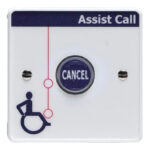
Lexicomm AssistCall Ancillary Cancel in White
£39.38 (inc VAT: £47.26)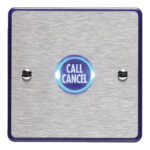
Lexicomm AssistCall Call Cancel Plate in Stainless Steel
£50.00 (inc VAT: £60.00)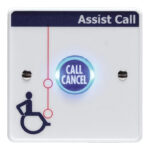
Lexicomm AssistCall Call Cancel Plate in White
£46.88 (inc VAT: £56.26)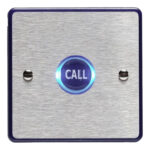
Lexicomm AssistCall Call Plate in Stainless Steel
£46.88 (inc VAT: £56.26)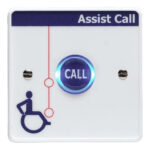
Lexicomm AssistCall Call Plate in White
£39.38 (inc VAT: £47.26)