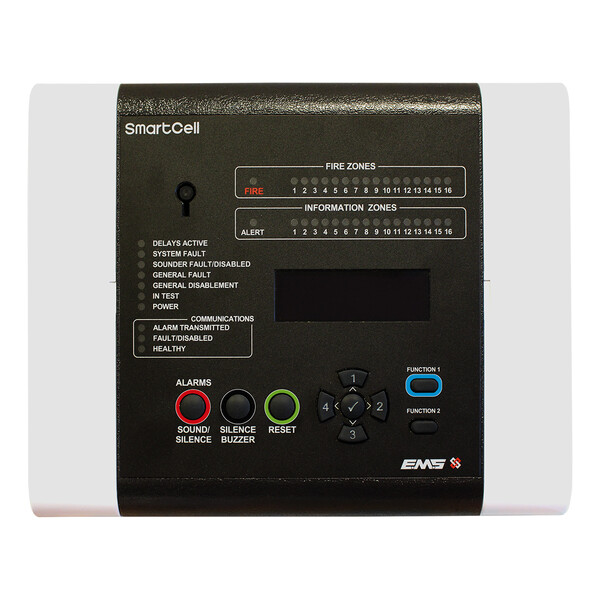
SmartCell Wireless Control Panel
£413.91 (inc VAT: £496.69)
Summary
The EMS SmartCell Wireless Control Panel delivers a complete wireless fire detection solution designed to protect small to medium-sized premises without the complexity and disruption of traditional cabled installations. This compact control panel eliminates the need for extensive cabling work, significantly reducing installation time and site disturbance whilst maintaining full compliance with European fire safety standards.
Supporting up to 64 wireless devices with a maximum of 32 dedicated fire detection devices, the SmartCell system operates across 16 configurable zones using bidirectional communication in the European harmonised 868MHz frequency band. The panel’s 80-character OLED display provides clear system status information, whilst the compact enclosure design enables flexible installation in space-constrained environments. With accommodation for an internal communications card, the system offers future expandability for remote monitoring and SmartCell Services connectivity.
Certified to EN54-2, EN54-4, EN54-13 and EN54-25 standards with full CPR compliance, the SmartCell panel provides installers with a reliable, standards-compliant wireless fire detection solution ideal for retrofit applications, heritage buildings, and installations where traditional cabling would prove disruptive or cost-prohibitive.
Features
- Supports up to 64 wireless devices (fire or information) with maximum of 32 fire detection devices
- 16 configurable zones with separate information zones for maximum design flexibility
- Bidirectional wireless communication operating in 868-870MHz frequency band
- 80-character OLED display for clear system status indication
- 16 zone indicators on control panel user interface
- Compact enclosure measuring 275 x 220 x 80mm (W x H x D)
- 230VAC mains power supply with 6V 4Ah standby battery backup
- Surface mount installation with multiple cable entry options
- Internal slot for optional communications card enabling remote monitoring capabilities
- 14dBm maximum wireless transmitter power output (25mW)
- IP30 rated enclosure suitable for indoor environments
- Operating temperature range of -5°C to +45°C
- Low quiescent current consumption of 56mA during mains failure
- Compatible with full range of SmartCell wireless fire detection devices
- No cabling required between panel and field devices, reducing installation time and costs
FAQ
How many devices can a single SmartCell panel support?
The SmartCell Wireless Control Panel can support up to 64 wireless devices in total, with a maximum of 32 dedicated fire detection devices. The remaining capacity can be used for information devices, providing flexibility in system design across the 16 available zones.
What are the main installation advantages of the SmartCell wireless system?
The SmartCell system eliminates the need for cabling between the control panel and field devices, dramatically reducing installation time, labour costs and site disruption. This makes it particularly suitable for retrofit installations, occupied buildings, heritage properties, and sites where traditional cabling would be impractical or costly. The compact panel design and surface mounting further simplify installation.
What wireless frequency does the SmartCell system use?
The SmartCell system operates in the European harmonised 868-870MHz frequency band with bidirectional communication between devices and the control panel. The system transmits at a maximum output power of 14dBm (25mW), providing reliable wireless communication whilst maintaining compliance with European radio regulations.
Is this control panel supplied with a communications module?
No, this model (SC-11-1201-0001-99) is supplied without a communications module. However, the panel accommodates an internal communications card that can be added separately to enable connection to SmartCell Services for remote monitoring and system management capabilities.
What standards does the SmartCell panel comply with?
The SmartCell Wireless Control Panel is certified to EN54-2 (Control and indicating equipment), EN54-4 (Power supply equipment), EN54-13 (Compatibility and alarm transmission), and EN54-25 (Components using radio links). The system carries full CE marking and CPR (Construction Products Regulation) compliance for use across Europe.
What battery backup does the panel provide?
The control panel includes a 6V 4Ah standby battery that provides backup power during mains failure. In quiescent mode, the system draws 56mA from the battery, whilst alarm conditions require 106mA. When measuring quiescent current after mains disconnection, allow five minutes for the system to stabilise.
Can the SmartCell panel be used in all environmental conditions?
The panel is designed for indoor use with an IP30 rating and operates within a temperature range of -5°C to +45°C. Relative humidity should not exceed 95% non-condensing. The panel should be stored at temperatures between 0°C and +30°C when not installed.
Specifications
- User Interface: 16 zone indicators
- Maximum System Capacity: 1 to 32 fire detection devices
- Total Device Capacity: Up to 64 wireless devices
- Maximum Zone Capacity: Up to 16 zones
- Power Supply Type: 230 VAC
- Operating Voltage: 220 to 240 VAC, 50 Hz, 0.3 A
- Current Consumption (Mains Applied): 5 mA (PSU), plus 100 mA from control panel
- Quiescent Current (Mains Fail): 56 mA
- Alarm Current (Mains Fail): 106 mA
- Standby Battery Capacity: 6 V, 4 Ah
- Form Factor: Compact
- Physical Dimensions: 275 x 220 x 80 mm (W x H x D)
- Net Weight: 1.55 kg
- Mounting Type: Surface mount
- Cable Entries: 4 x 100 mm (bottom) / 4 x 100 mm (back)
- Operating Temperature: -5 to +45°C
- Storage Temperature: 0 to +30°C
- Relative Humidity: 95% non-condensing maximum
- Environment: Indoor
- IP Rating: IP30
- Compliancy: CE
- Certification: CPR
- Standards: EN54-2, EN54-4, EN54-13, EN54-25
- Operating Frequency: 868 to 870 MHz
- Output Transmitter Power: 14 dBm max. / 25 mW
Downloads
- Datasheet (Adobe PDF)
- Quick Start Guide (Adobe PDF)
- Installation Manual (Adobe PDF)
- User Manual (Adobe PDF)
Additional information
| Weight | 1.55 kg |
|---|---|
| Power Supply | 230V AC Mains, 24V DC |
| Device Type |
Related Products
More Control Panel products from EMS
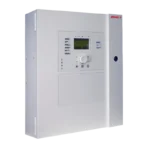
EMS FireCell 2X-A | Addressable Fire Panel | 2 Loop (Expandable to 4), Large Cabinet, 6A or 10A PSU
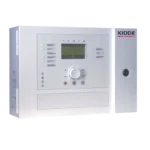
EMS FireCell FC-2X-AFR-FB-S-99 | 2X-A Addressable Repeater Panel | Network Card Included, Small Cabinet
£452.40 (inc VAT: £542.88)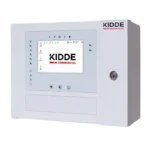
EMS FireCell FC-2X-AT-FR-FB-S-99 | 2X-A Touchscreen Repeater | Network Card Included, Small Cabinet
£520.40 (inc VAT: £624.48)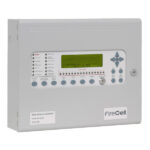
EMS FireCell Syncro AS Lite Standalone 1 Loop Panel
£576.92 (inc VAT: £692.30)
EMS FireCell Syncro AS Networkable 1 or 2 Loop Panel
EMS FireCell Taktis Control Panel
SmartCell Panel Communications Module V2
£202.71 (inc VAT: £243.25)